An enquiry arrives
Forward an email to your private ServicePilot address. Photos and attachments come with it.
Customer context stays attachedForward an enquiry. ServicePilot drafts a quote from your rates. Review, send, schedule, invoice and get paid in one place.
14 days free · No card required


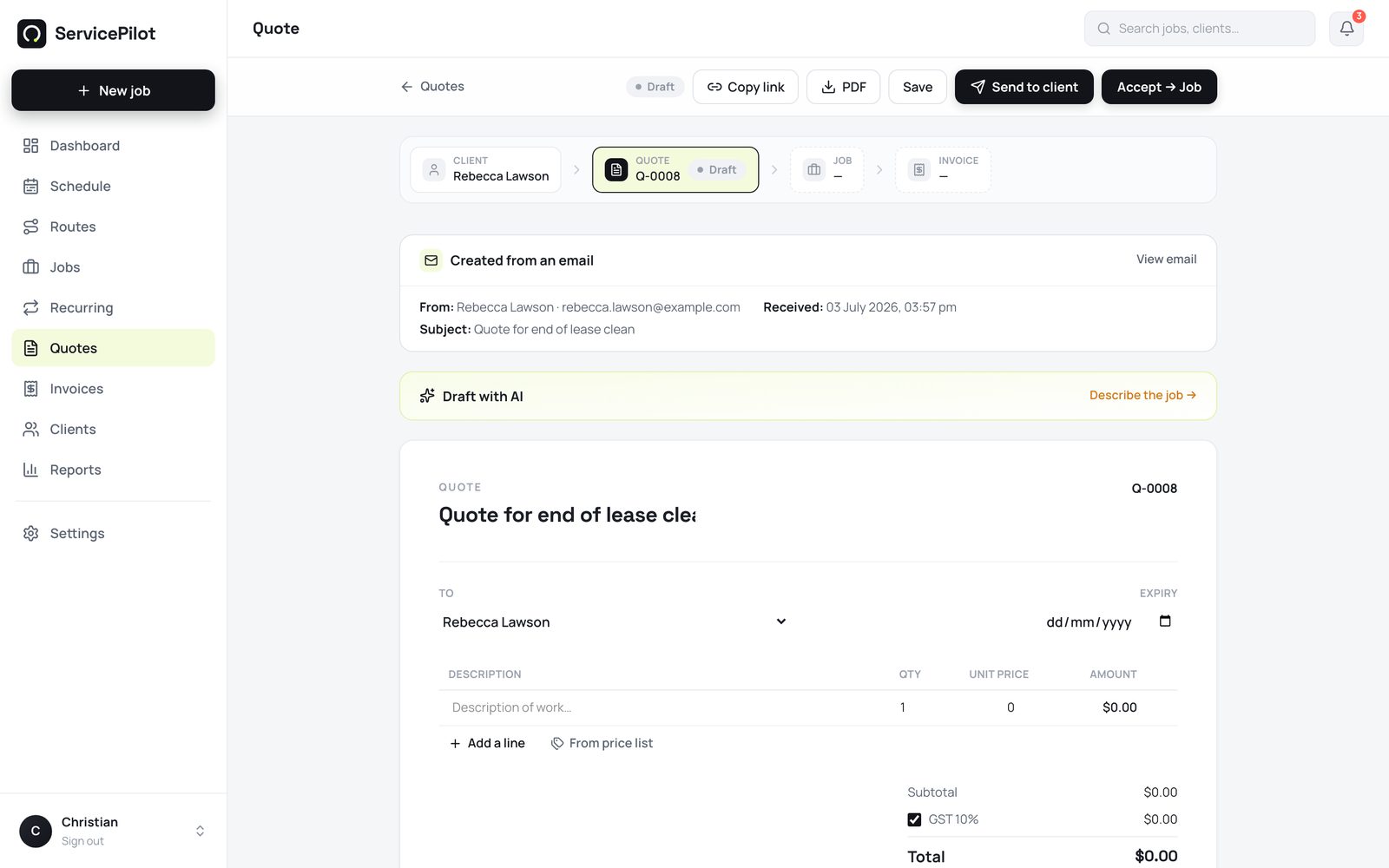
AI does the first draft from your catalogue. You see every line, make the final call and decide when a quote is sent.
Forward an email to your private ServicePilot address. Photos and attachments come with it.
Customer context stays attachedServicePilot turns the request into an itemised draft, using the products, services and rates you maintain.
Your catalogue and rates stay in controlEdit what needs changing, resolve anything uncertain and send only when the quote is ready.
Nothing is sent without your approvalYour customer, job details and payment status travel together, so the team is not rebuilding the story at every step.
Review the draft and send a clear, itemised quote.
Ready for a customer decisionAssign the team and see the job alongside the day’s other work.
Shared calendar contextBring notes, photos and the work history into the field.
Details stay with the jobCreate the invoice from the completed work and keep payment visible.
Nothing goes unbilledEverything your team needs for the work from quote to paid. No feature tiers to untangle as the business grows.
14 days free. No credit card. Cancel anytime.
Including GST · Cancel anytime
Move between the schedule, job register and invoices without rebuilding the story of the job.
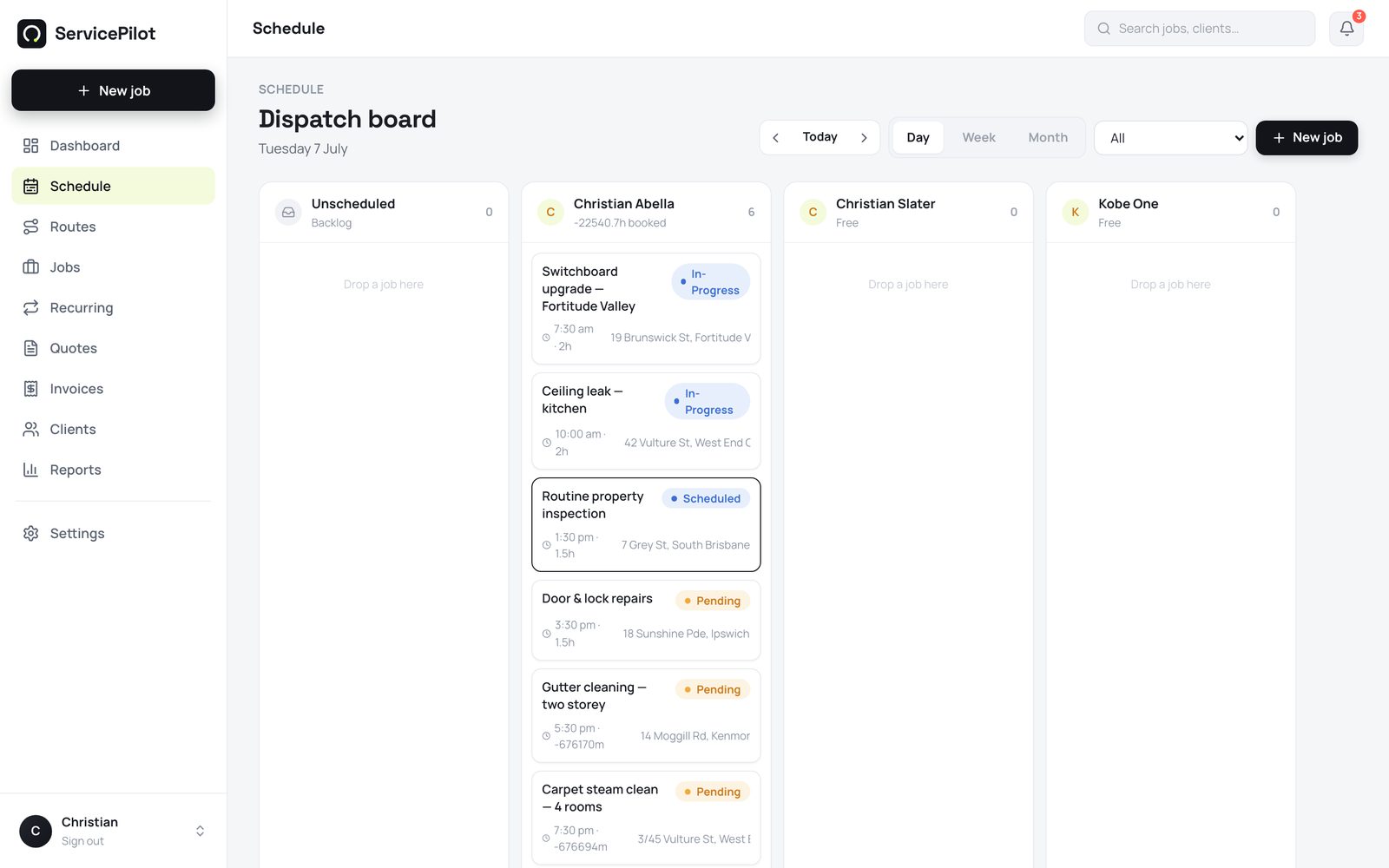
Set up the essentials first. Add more as the business needs it.
Start with your branding, ABN and GST settings.
This gives every quote a reliable starting point.
Use the accounts you already rely on, when you are ready.
Give office and field staff the context they need.
Review the draft and make it your own.
ServicePilot is best for trade and field-service businesses. It may not suit large construction projects that need complex progress claims, enterprise asset management or detailed project accounting.
Keep your accounting, payments and routing connected without changing how the business gets paid.
No. ServicePilot creates a draft using your catalogue and rates. You can edit every description, quantity and price before you decide to send it.
Anything uncertain is clearly flagged for review. You can add the line, choose a price from your list or adjust the quote before it reaches the customer.
Yes. Bring clients in with CSV import and create or load the products and services you use to quote. This gives the AI the rates it needs for better drafts.
Yes. Connect your own Xero account and push invoices and payments straight through. QuickBooks Online and Reckon One support are on the way.
ServicePilot is $39 per user per month, including GST. Every account starts with 14 days free and no credit card is required.
Yes. Start with one user, then invite the team when you need to schedule more people or share job information in the field.
Start with 14 days free, no card required. Keep your existing Xero account.
Start free