Invoices and payments
Send GST-ready invoices with online card payment links. Record cash and bank payments on site, and send everything to Xero.
Create the invoice
Create an invoice from a completed job or from the start. The line items come from your price list. ServicePilot calculates GST (Goods and Services Tax) automatically. Your ABN (Australian Business Number), logo, and bank details are already on the invoice.
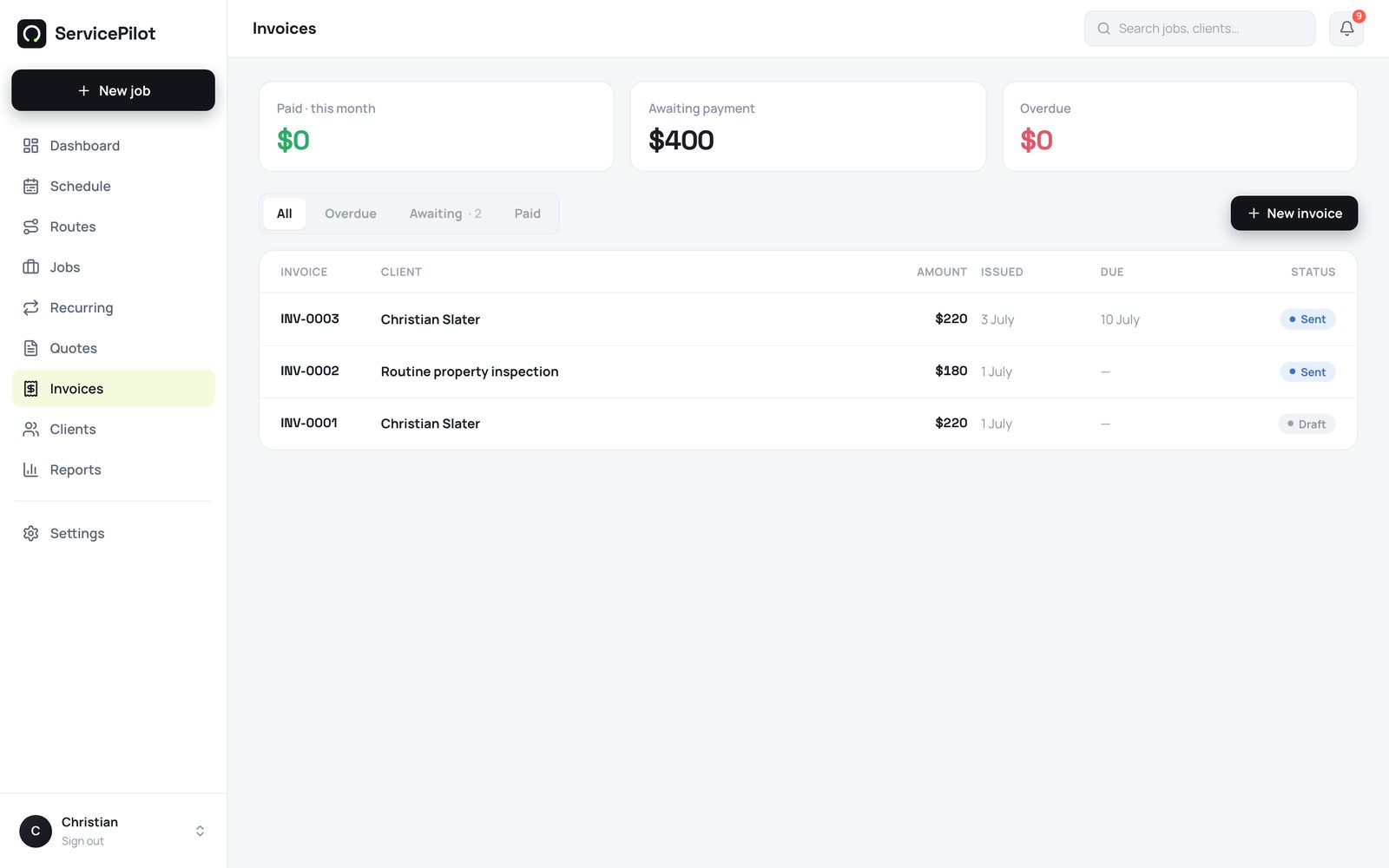
Send a payment link, not a file
The customer gets a hosted invoice link. The customer can pay by card online through Stripe. The money goes straight to your bank, and ServicePilot never holds it.
The link also shows your bank transfer details. You do not need a card terminal.
Record payments on site
A customer pays in cash or by bank transfer on site. Record the payment from your phone. The invoice status updates everywhere immediately.
Ask for a deposit on the quote (optional)
Set a default deposit percentage under Settings, then Tax and numbering. It is off by default. You can also set a dollar amount on any single quote.
The customer's accept button then reads Accept and pay deposit. The customer signs and pays the deposit by card in one step. ServicePilot credits the deposit when you invoice the job.
Send automatic reminders for overdue invoices
Turn on automatic invoice reminders in Settings. ServicePilot emails a friendly reminder at 3 days overdue. It sends a firmer reminder at 10 days overdue.
Each reminder includes the pay-online link. The reminders stop when the customer pays. Quote follow-ups work the same way, at 3 and 7 days after you send the quote.
Send invoices to Xero
Connect your Xero account under Settings, then Integrations. Send invoices and payments to Xero with one click. You avoid double entry at BAS (Business Activity Statement) time.
Common questions
What are the card fees?
The standard Stripe fees apply, about 1.7% plus 30c for Australian cards. ServicePilot takes no part of your customer payments.
Can I part-invoice or take deposits?
Yes. Invoice any amount against a job, and record partial payments. ServicePilot tracks the outstanding balance automatically.
Do customers need an account to pay?
No. The payment link works immediately in any browser. There is no login and no app.
Are deposits mandatory?
No. Deposits are optional and off by default. Set a company default or a per-quote amount only when you want one. Quotes without a deposit accept as before.
Can I turn off the automatic reminders?
Yes. Quote follow-ups and invoice reminders are both optional switches in Settings. Each one sends at most two polite messages.
Run your trade business on autopilot
Quotes, jobs, scheduling and invoicing - 14 days free, no card required.