The schedule and dispatch board
Plan every day on the dispatch board. Assign jobs to technicians, find conflicts, and keep the field team up to date.
One column for each technician
Open the Schedule. Each technician gets a column that shows the day in time order. The unscheduled jobs are in a list on the left. Switch between Day, Week, and Month at the top.
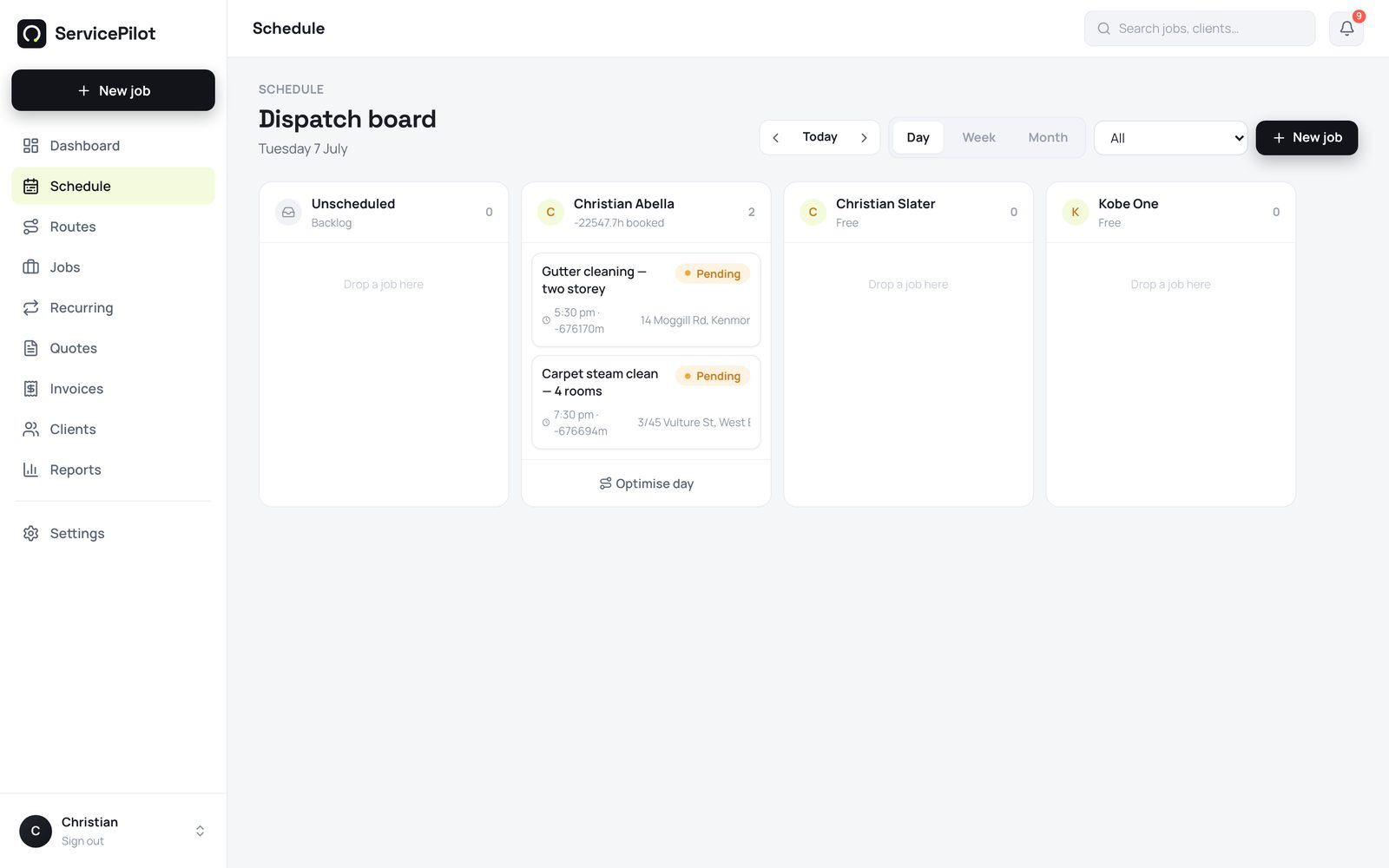
Drag a job to assign or move it
Drag a job card to a different column to assign it to another technician. Drag it to a different time to move it. ServicePilot highlights jobs that conflict, so you see them before the customer does.
Add a job quickly
A customer calls and books a job. Select New job on the board. Type the name, the customer, and the time. The job appears in the correct column immediately.
Technicians see their own day
Each technician sees only their own schedule on the phone and the web. Administrators see the whole board. ServicePilot sends a push notification to a technician when you assign a job to them.
Common questions
Can technicians move their own jobs?
A technician can change the status and details of their own jobs. Only administrators can assign or reassign work. This keeps the board under control.
Is there a printable run sheet?
Yes. Go to Reports, then Job run sheet. It prints a clear day-by-day run for any technician and date range.
Does it handle recurring work?
Yes. Set up a maintenance plan and ServicePilot creates each job automatically before the visit. This suits pool, pest, HVAC (heating, ventilation, and air conditioning), and cleaning rounds.
Run your trade business on autopilot
Quotes, jobs, scheduling and invoicing - 14 days free, no card required.