Reports: see your numbers
See revenue collected, money outstanding, the quote pipeline, and your win rate. These are live business numbers, ready at tax time.
Job profitability
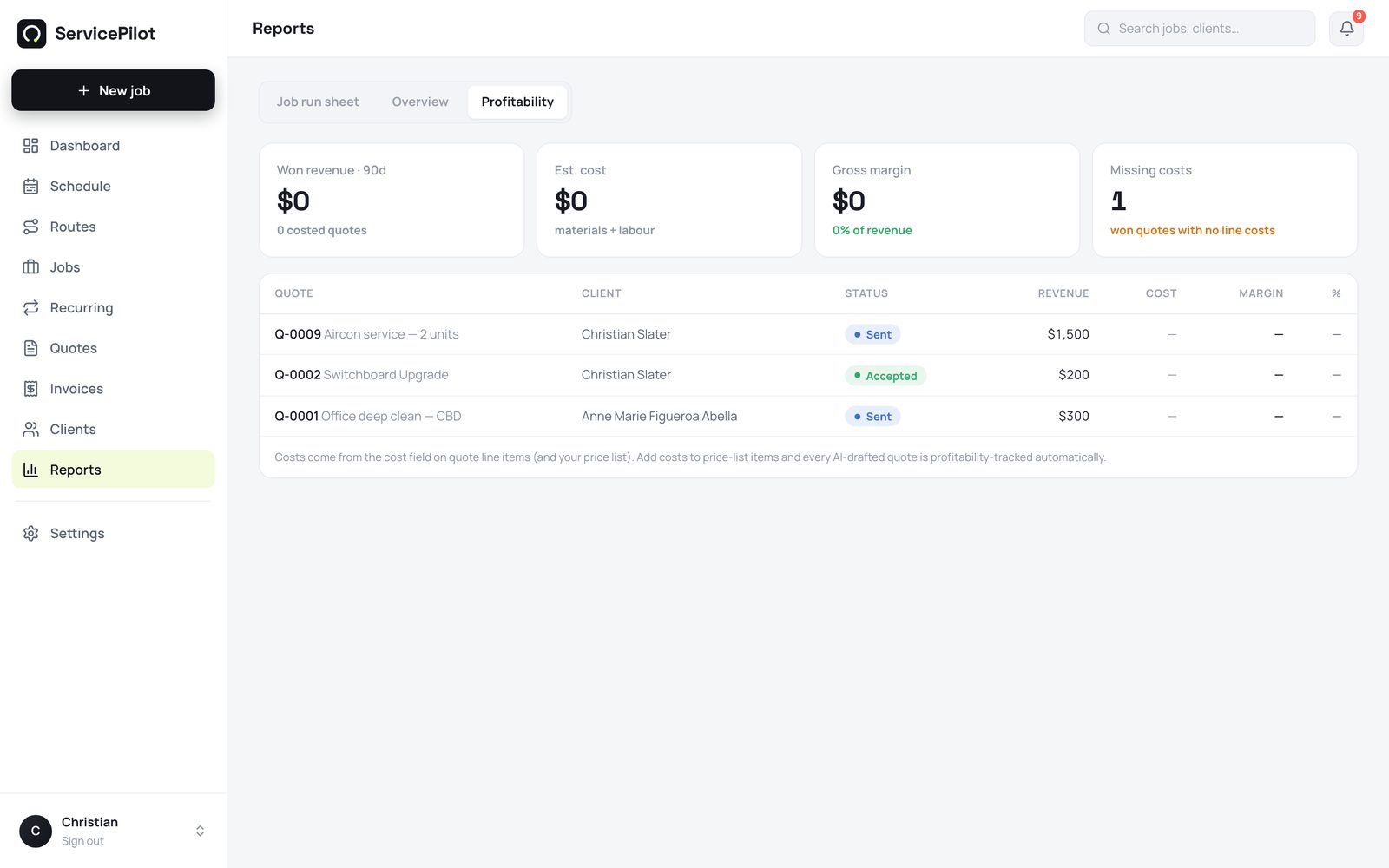
The Profitability tab shows revenue, estimated cost, and gross margin for every quote in the last 90 days. It also shows which won quotes have no line costs. Costs come from your price list. ServicePilot tracks the margin on AI (artificial intelligence) quotes automatically, with no extra data entry.
Timesheets for payroll
A technician taps clock on and clock off from the phone or the web. The Timesheets tab totals the hours for each person for any date range.
It shows labour cost when you set hourly rates under Settings, then Team. A technician sees their own hours. An administrator sees everyone.
The overview (administrators)
Go to Reports, then Overview. It shows four numbers: the money collected this period, the money outstanding, the value of quotes awaiting a decision, and your win rate. You can see a slow month before it happens.
Job run sheets
The Run sheet tab prints a clear, day-by-day job list for any technician and date range. Print one for each technician.
The run sheet opens on you
The run sheet opens on the signed-in user. A technician sees only their own numbers. An administrator can switch to any technician or the whole business.
Common questions
Can technicians see business revenue?
No. The business overview is administrator-only. A technician sees their own run sheet and job stats.
Can I export reports?
Run sheets print, or save to PDF (Portable Document Format), directly from the browser. More export options are on the roadmap.
Run your trade business on autopilot
Quotes, jobs, scheduling and invoicing - 14 days free, no card required.