Manage jobs from enquiry to completion
Track the status of every job. Run the day from your phone, take proof-of-work photos, and keep customers up to date automatically.
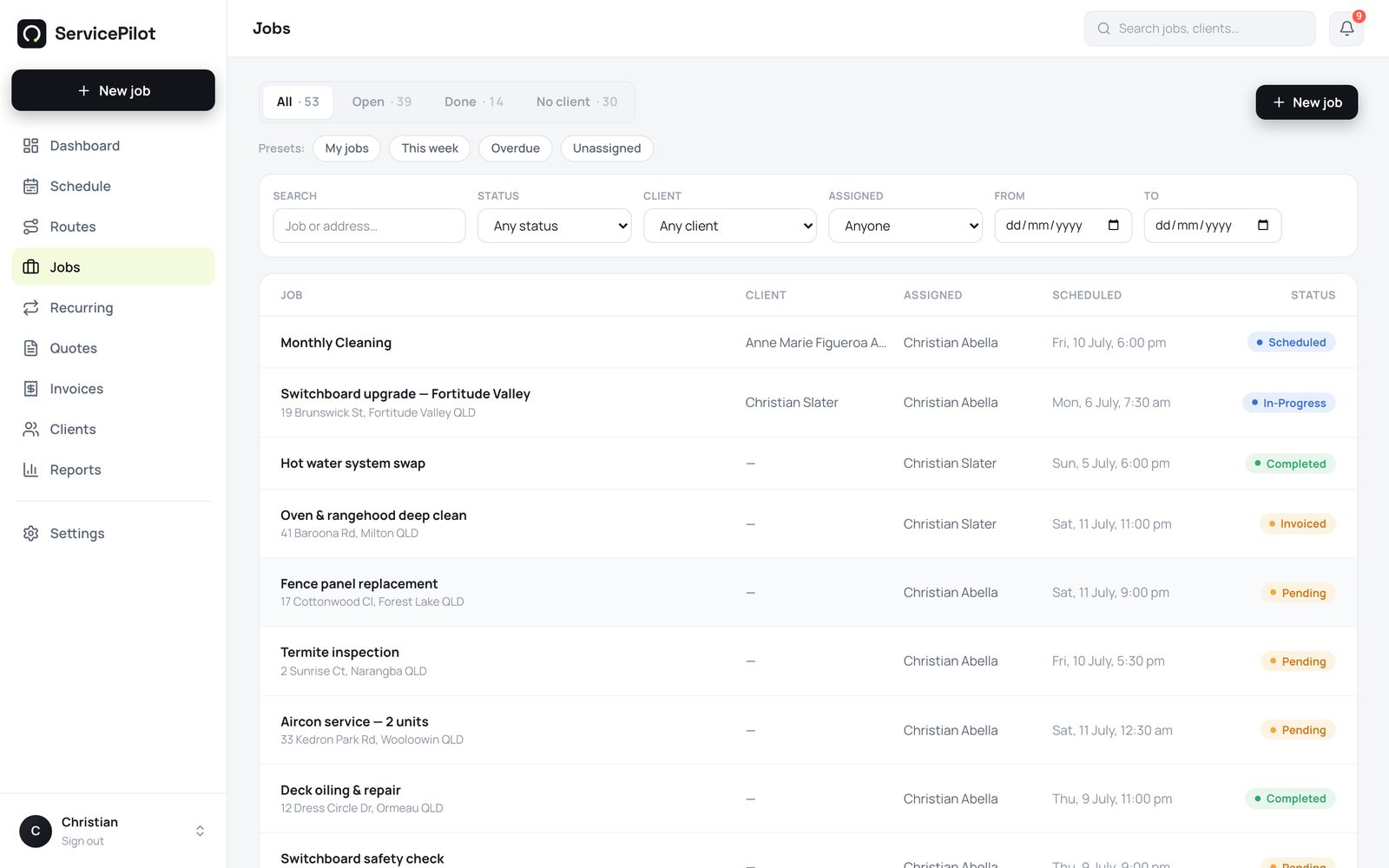
Every job has a status
A job moves through these statuses: Pending, Scheduled, In-Progress, Completed, Invoiced, and Paid. Filter the Jobs list by any status. You then see open work, today's run, or jobs to invoice.
Run the job from your phone
On the phone, a job shows the location on a map. Tap the map for turn-by-turn directions. You also get one-tap Call, Message, and On my way buttons. The On my way button sends an SMS (Short Message Service) message through ServicePilot.
Take proof of work
Take up to 5 photos for each job. The camera-only option makes sure the photos come from the site. ServicePilot compresses the photos and stores them securely.
The photos show on the job in the web app. They are your evidence if a dispute happens.
Complete and invoice in one step
Mark the job complete on site. Then turn the job into an invoice from the web app. ServicePilot copies the job details, customer, and prices. You do not type them again.
Common questions
Who can see which jobs?
Administrators see everything. A technician sees the jobs assigned to them and the unassigned pool. This keeps their view clear.
Can I attach documents to a job?
Yes. Photos, PDF (Portable Document Format) files, and notes all stay on the job record. Customers can see their own history in the customer portal.
What happens when a technician finishes a job?
The technician marks the job Completed in the app. You see it immediately on the dashboard. The job then moves to your ‘to invoice’ filter.
Run your trade business on autopilot
Quotes, jobs, scheduling and invoicing - 14 days free, no card required.